



When you have successfully hired a candidate for a job, it is important to mark the job posting as filled to keep your listings up-to-date. Here is a simple guide on how to do this:
Step 1: Go to the employer dashboard
Log in to your employer account and navigate to the employer dashboard.
Step 2: Click on “My advertised jobs”
From the left-hand side of your dashboard, click on “My Advertised Jobs” to view all your current job postings.
Step 3: Find the job to be marked filled
Browse through the list of jobs and find the position that you want to mark as filled.
Step 4: Click on “Mark filled”
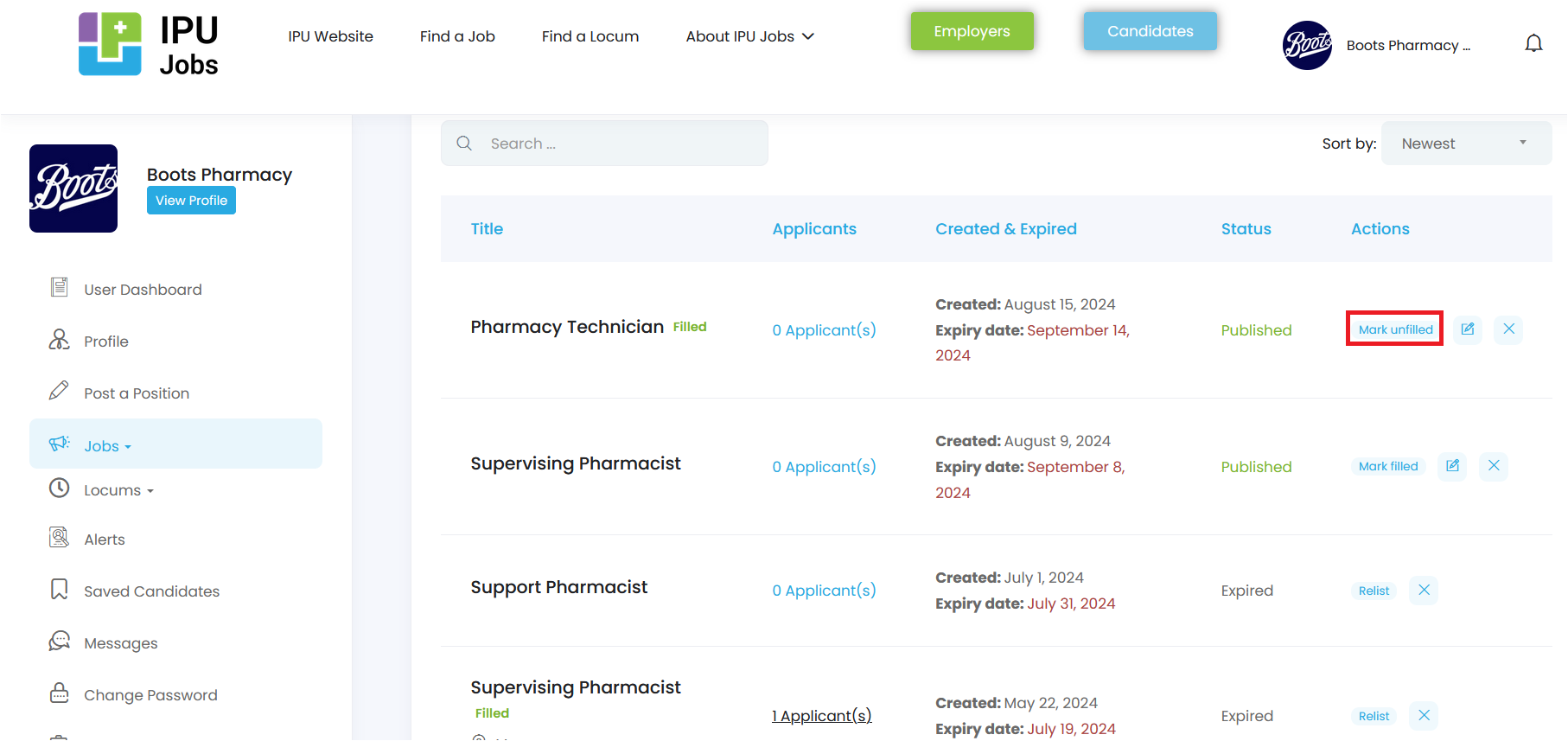
On the right-hand side of the job position, click on the “Mark Filled” button to update the listing.
Once marked as filled, the job will no longer be visible to candidates, helping you maintain an accurate and updated job listing.
If you encounter any issues or need further assistance, feel free to contact the IPU Jobs support team at [email protected].